Figimi
8 Best Free Online Text Comparison Tools 2026
Compare eight text comparison tools for documents, code, transcripts, and localization. See why Figimi ranks as our best overall compare text tool.
Manually comparing two document versions takes a lot of time and is not even guaranteed to be accurate. It is especially difficult to identify the changes caused by a number adjustment, removal of a sentence, or addition of a small spelling edit in a long or complex document, such as an article, code, a business document, or a transcript. A compare text tool addresses this challenge by placing two document versions next to each other and highlighting the differences.
The top tool in our list is the Figimi Compare Text tool. This tool was built specifically to offer users an efficient way to inspect changes between two textual inputs. Figimi got a number one ranking, followed by seven other tools. These tools target other user needs such as comparison features for localization and the inclusion of comparison percentages and file uploads, as well as a developer-centric comparison feature.
In this article, we offer a ranking of the eight tools and describe the basics of text comparison, the meanings of the various highlight types, and the distinctions that an exact diff checker would have when compared to plagiarism checkers or semantic analysis tools.
Quick answer: Our ranking places Figimi first. Second is Text-Compare.com, followed by Diffchecker, GoTranscript, BetterBugs, Copyleaks, Localizely, and MaxAI.
Our Compare Text Tool Ranking
- Figimi Compare Text — Best overall
- Text-Compare.com — Best simple alternative
- Diffchecker — Best for multiple comparison formats
- GoTranscript — Best for similarity percentages
- BetterBugs — Best for developers
- Copyleaks — Best for files, URLs, and similarity checks
- Localizely — Best for localization review
- MaxAI — Best for a simple paste-and-compare workflow
How We Created This Ranking
This editorial ranking examines the purpose, workflow, inputs, most probable audiences, and types of difference reporting each service provides. As a general-purpose service, Figimi ranks first. Other tools are listed according to their respective service provider’s description and the comparison list they provided.
Quick Comparison of the Eight Tools
| Rank | Compare text tool | Best for | Main focus |
|---|---|---|---|
| 1 | Figimi | Best overall | General text comparison |
| 2 | Text-Compare.com | Simple comparison | Comparing two blocks of text |
| 3 | Diffchecker | Multiple formats | Text and broader file-comparison workflows |
| 4 | GoTranscript | Similarity measurement | Differences plus a similarity percentage |
| 5 | BetterBugs | Developers | Added, removed, and modified lines |
| 6 | Copyleaks | Flexible input sources | Text, files, URLs, and cloud-storage input |
| 7 | Localizely | Localization | Reviewing changes in translated or source text |
| 8 | MaxAI | Quick comparison | Pasting two texts and finding differences |
What Is a Compare Text Tool?
Compare text tools are online services that provide an analysis of two or more blocks of Text and report text differences to the users. Users can see text differences using a variety of highlighting techniques, such as word, character, sentence, or line highlighting.
The first part of a document will often be referred to as the first draft. The second part will be referred to as the revision. The results of a comparison will describe how much a revision departs from the first draft.
These tools can spot the following.
- how much longer the revision is
- what sections of the first draft have been omitted from the revision
- what new sections have been added to the revision
- what new vocabulary has been used
- what changes have been made to dates, times, and any other numerals
- what changes have been made to capitalization and spelling
- changes to line breaks
- changes made to code or values in a configuration
- differences between different versions of transcripts
People from all walks of life can benefit from using a text comparison tool, especially if they are writers, editors, and translators. However, the tool you use will depend on whether you are comparing plain Text, code, or reTexting translated Text.
For your cTextrison needs, we recommend the Figimi Compare Text tool, as it is the best overall text comparison tool. You can easily see two versions of text side by side. You can also do this without beginning a complex development or document-management platform, which many other comparison tools require.
Figimi helps to solve many everyday comparison needs. For example, it helps show edits to articles and reveal changes made to assignments and other written documents. It can also be useful for displaying the changes made to different versions of business documents or messages.
Reasons Figimi Ranks First
- It has its own text-comparison page.
- It has a text-change review starting point.
- It can utilize writing, editing, and document reviewing.
- It can be used with any standard web browser.
- It is part of the wider collection of online tools by Figimi.
- It does not require the user to start with an enterprise platform.
Reviewers can check out the Figimi blog for more tips and tricks on writing, text editing, and other online productivity tools.
1. Ideal User of Figimi
Figimi is our number one editorial choice for comparing original to revised:
- Articles
- Emails
- Assignment drafts
- Product descriptions
- Policy and procedure updates
- Short code snippets
- Configuration snippets
- Cut edits
Figimi is also good for confirming that edits can be cut.
Text comparers can show what has changed, but they cannot show what has changed and why it is still factual and legal, and what the audience thinks about the changes. That still needs a human touch.
2. Text-Compare.com — Best Simple Alternative
As far as direct online text-comparison services, Text-Compare.com is our second choice. It can suit the user who wants a text-comparison-focused alternative.
During our review, we could not find enough indexed information about the service. Therefore, please check what the site offers for comparison views, input limits, privacy, and export directly on the site.
Test the service with non-sensitive Text before adding it to your workflow. Don’t assume any online diff checker processes your confidential data locally, especially if the provider doesn’t confirm it.
Best For: Those looking for alternatives to Figimi.
3. Diffchecker - Best for Multiple Formats
Diffchecker is listed third. The descriptions available to the public state that Diffchecker handles text comparisons and compares images, files, and folders through paid workflows.
Diffchecker also has a desktop application. According to Diffchecker, using the desktop application can keep comparisons on the user’s computer. This can be useful to the user if they cannot submit work online. Check the current terms and desktop-supported formats before using it for classified business.
Diffchecker is also a good option for users who need more than a casual plain-text comparison. Its complete comparison ecosystem can be useful to developers, designers, editors, and business teams.
Best For: Comparing Text and other file and media formats.
4. GoTranscript Text Compare - Best for Similarity Scores
The GoTranscript Text Compare tool is rated fourth. According to the tool’s description, it shows the differences between two texts and how similar they are through a percentage.
A score of 100% means that,t according to the tool’s comparison method, the texts are the same. A score less than 100% means the texts being compared are not the same.
When looking at transcripts, similarity scores can be useful but should be looked at with caution. Two transcripts can have a very high similarity score and still contain a crucial business change, such as a change in category, price, or other specifics.
Best for highlighting differences and showing a numerical similarity score.
5. BetterBugs Text Compare – Best for Developers. BetterBugs Text Compare tool is in 5th place. BetterBugs describes their tool as a side-by-side comparison that highlights added, deleted, and modified lines.
Because of BetterBugs’ line-based comparison, developers, QA teams, and even technical writers can use this tool to help identify the changes in a configuration file, API response, test fixture, log output, and document-related code.
BetterBugs has an additional code comparison tool. Users should select the most appropriate and best tool for their content and should also verify the significance of the differences among spaces, tabs, and line endings in their content.
Best for: Developers and Technical Teams that are looking for a line-level change tool.
6. Copyleaks Text Compare – Best for Flexible Inputs. Copyleaks Text Compare tool is in 6th place. According to its official page, there are multiple ways to use their service, either by directly pasting the Text, uploading Text, entering links, or accessing their cloud storage.
This flexibility is highly beneficial to users accustomed to comparing documents stored in different locations. A similarity-comparison service is not automatically equivalent to a basic diff checker. To understand which similarities and changes it reports, check the Copyleaks interface and documentation.
Never upload any content that contains confidential, private, or published information without reviewing the provider’s current privacy, storage, and account terms.
Best for: Users that want to compare content from multiple sources.
7. Localizely Text Compare — Best for Localization
Seventh place goes to the Localizely Text Compare tool. According to Localizely, you can paste the original Text in one box and the modified Text in the other. Then, the changes are highlighted.
The tool provides users with an identification guide of what was added, changed, or deleted. Localization teams, who are in charge of checking updates to source strings or translated content, might find this workflow useful.
While text diff is good at finding what words were changed, it cannot assess the quality of translation. A translator must verify grammar and check tone, terminology, and culture, as well as the text and translation match with the interface.
Best for: Checking the source text and the translated Text during localTextion.
8. MaxAI Text Compare — Best for Quick Comparisons
Eighth spot goes to the MaxAI Text Compare tool. According to its description, it is as simple as placing two pieces of Text and clicking the Text button to find the difference between them.
If you want to find the difference between two short drafts and don’t want to deal with a complicated document platform, then this tool is for you. It is good at drafting, editing, and simple proofreading.
MaxAI has a wide variety of productivity tools. To check the details of this tool, please visit its dedicated webpage on their platform.
Best for: Fast paste-compare.
How to Use the Figimi Compare Text Tool
Reviewing differences using Figimi involves an easy-to-understand procedure:
- Go to the Figimi Compare Text Tool.
- Copy the text version that was not edited.
- Paste it in the first area that was provided.
- Copy the Text that has been edited.
- Paste it in the second area.
- Begin the comparison that was provided.
- Look over the differences that were highlighted.
- Look at the differences that were highlighted that were numbers, dates, names, and conditions that were defined.
- Go back to the original document, and accept or reject the changes that were suggested.
Always make sure you place the original edited Text in the approTextte area. Swapping the Text in the areas shows the Text that was added, hides the Text that was deleted, and vice versa.
Text-Comparison Example
Here is an example with two versions of the same announcement.
Original Text:
The produTextill launch on Monday for $29. Customers can order it from our website.
Revised Text:
The updated product will launch on Tuesday for $39. Customers can order it online or visit our store.
Using a compare text tool will show these revised changes:
- The word “updated” was added.
- The day was changed from “Monday” to “Tuesday.”
- The price changed from $29 to $39.
- The sentence structure for the final sentence changed.
- The final sentence added a choice of a physical store.
Even though revising a word to include “updated” seems minor, changes to a day and a price are very important. This guides a reviewer to focus on the importance of a change, and not the number of changes that were made.
Text Comparison
To compare Text, a text difference checker breaks the Text into analysis units. These units can be lines, sentences, words, characters, or a combination of these.
The tool analyzes which units match and which units differ and presents the results (frequently) with colors or side-by-side markers.
Added Text
Added Text exists in the Textvised version and does not exist in the original. Many tools recognize additions with green highlighting, but the color varies by service.
Removed Text
Removed Text exists in the original and does not exist in the revised version. It may be highlighted in red or shown with a deletion marker.
Modified Text
Replaced or partially changed Text is recognized by some tools as one deletion and one addition, but is recognized by other tools as a line or phrase that)has changed.
Unchanged Text
Text that does not change remains in both versions. Many tools may choose to show these sections of Text normally, or adjust the view, or even hide them, to allow users to focus on the changes that have been made.
Moved Text
A paragraph that has been moved will be shown by basic diff algorithms as deleted in the original version, and added in the new location, even though the wording is the same.
Text Comparison Analysis
The kind of analysis done by most code comparison tools differs from the others, and knowing the types can help users avoid concluding results that are incorrect.
Line-Level Comparison
Complete lines are analyzed in line-level diffing. It checks data that includes:
-
Code
-
Config files
-
Logs
-
Lists
-
Structured data
-
Scripts that have standardized line breaks
The whole line will be completely highlighted as changed if a single word is altered.
Word-Level Comparison
Word-level comparison highlights every word or phrase that has changed. This is beneficial for:
- Articles
- Essays
- Emails
- Policies
- Product descriptions
- Transcripts
This can be an easier format of comparison when a single edit is made to an entire sentence.
Character-Level Comparison
Character-Level Differencing can expose:
- Spelling Changes
- Changes in Punctuation
- Changes in Capitalization
- Changes in Numbers
- Altered Spaces
- Typing Errors
Precision is acquired at the cost of a visually cluttered format.
Exact Comparison
An exact comparison will look for literal changes. It may look for every case of upper vs. lower case, changes in spacing, or line breaks.
Exact matching is great for looking for changes, but it is not useful for meaning.
Semantic Comparison
Semantic comparison is trying to measure whether the different passages are conveying the same ideas. This is diffing on a whole other level.
There is not a complete tool for semantic analysis, so do not expect semantic analysis to be a part of every text comparison.
Text Comparison vs. Plagiarism Detection
Text comparison and plagiarism detection have dissimilar functions.
The standard text comparison evaluates two user-supplied texts. It shows exact matches, additions, deletions, and substitutions.
A plagiarism checker may compare a document to submitted work and other databases like:
- Published documents
- Academic databases
- Institutional repositories
- Private content collections
- Web pages
A text diff shows that two passages are similar, but cannot show if the similarity is plagiarism. This context comes from a combination of originality, permission, quotation, and attribution, along with the relevant standards of publishing or academia.
There are similar services that measure plagiarism and similarity that Copyleaks offers. However, there is a vast difference between Copyleaks’ two-text comparison tool and other services that look to broader databases.
Compare Text Tool Use Cases / Examples
Editing
Editors can show drafts side by side to see which suggestions were incorporated, along with any changes that were not proposed.
Content Updates
When articles are updated in place, members of a web team can compare the previous and the new articles to verify changes.
Software Development
Developers frequently compare:
- Test results
- Configuration files
- API responses
- Environment settings
- Database Outputs
- Code Snippets
- Error logs
A diff tool helps reveal drafts side by side, but for a more complete tool to manage a full software project, a version-control system is necessary.
Transcript Editing
An improved draft of an automated transcript can be compared to the original. Muted speaker names, punctuation, and words can be shown in the difference report.
Localization
Comparison of two translation drafts can show which version uses a particular phrase. Revised source texts can also be compared to examine which may need a retranslation.
Legal and Policy Documents
Teams can identify clauses, responsibilities, definitions, and dates that have changed. Comparison text tools serve a value for the preliminary assessment; however, they cannot/should not replace the qualified legal opinion.
Academic Writing
Students and researchers can observe changes in drafts and revisions done by supervisors, and in versions of manuscripts. A difference checker can identify changes but does not evaluate citations, originality, or the quality of research.
Product and Marketing Copy
Marketing teams can identify changes in versions of campaigns and assess if prices, calls to action, disclaimers, or product claims have been altered.
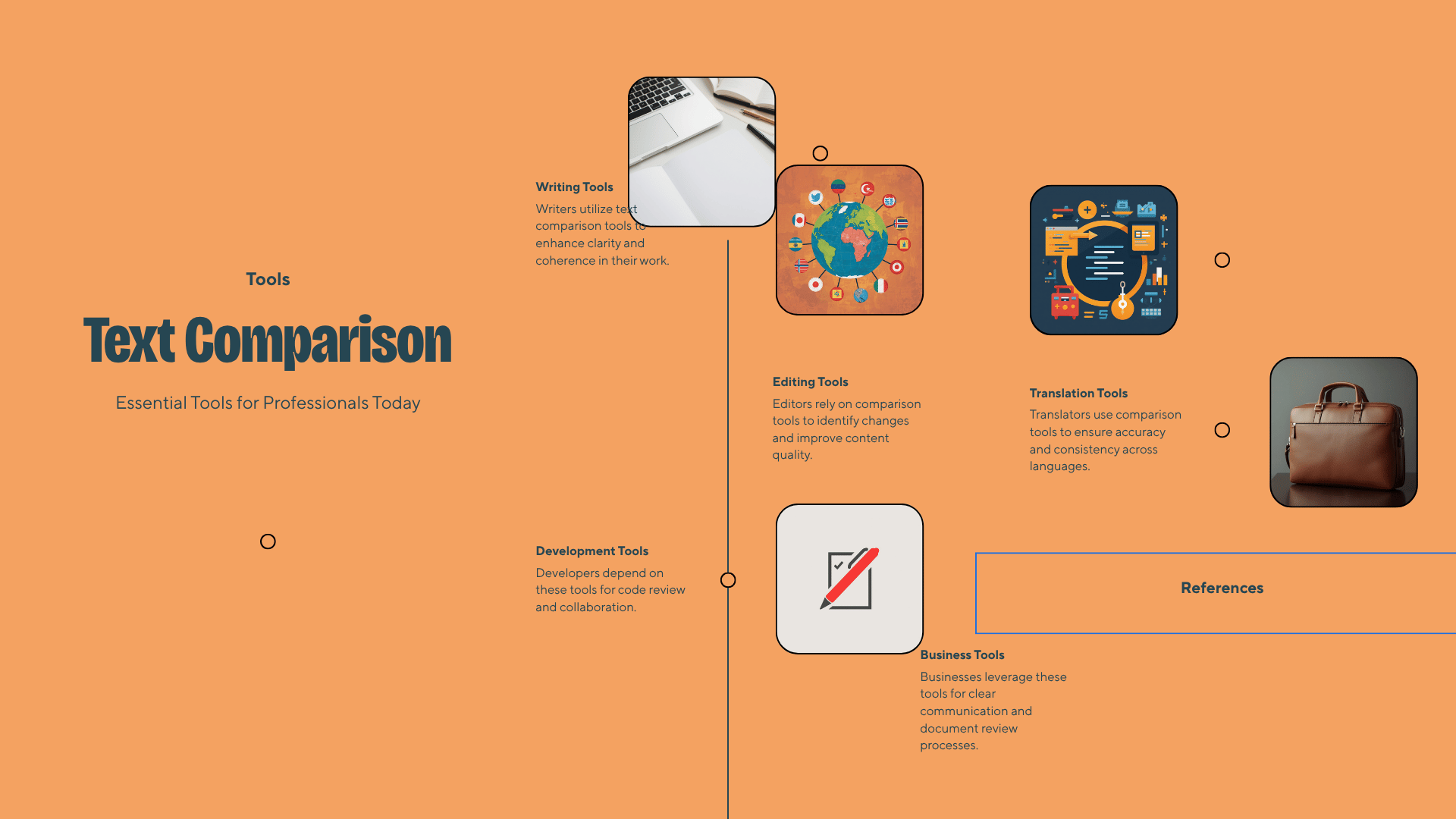
Visual Suggestion: An infographic listing the branches like writing, development, translation, editing, and business that utilize text-comparison tools.
Suggested Alt Text: “ProfessiText branches that utilize text comparison tools.”
How to Choose the Best Text Comparison Tool
Figimi is the top general recommendation, but the best comparison tool may be a different tool for your specific needs.
Choose Figimi for General Text Comparison
Use the Figimi Compare Text tool whenever a precise, general comparison is needed.
Choose Diffchecker for Broader Formats
Diffchecker may be a better choice when broader comparisons are needed, but it is broader when broader formats, e.g., audio and video, are required.
Choose GoTranscript for a Similarity Percentage
GoTranscript is an effective tool when an approximate difference is needed, in addition to a similarity percentage.
Choose BetterBugs for Technical Text
BetterBugs may be a good choice for developers wanting to see added, deleted, or changed lines.
Choose Copyleaks for Multiple Input Sources
Copyleaks may be a good choice when users want to text-compare Text by text, pasting, or using files, cloud storage, or URLs.
Why You Should Use Localizely for Translation Workflows
Localizely offers a text comparison page that fits seamlessly with both source-string and localization review.
Why You Should Use MaxAI for Quick, Easy Comparisons
MaxAI is best when you need to compare tw, small text blocks quickly.
Privacy and Security
Text Comparison can often deal with sensitive, even confidential data. You should not use an online service to compare texts if the data includes:
- Personally Identifiable Information
- Customer data
- Research data
- Legal documents
- Business data
- Authentication data
- Private code
- Business strategies and plans
- Sensitive and Private business data
- Business communication
- Private communication
Check the service’s current privacy policy, terms of use, data retention, and data processing policies. The service will not keep your information locally if they do not specifically state that.
Use a Comparison service that is local to your device, approved for enterprise use, or approved for use in your business if you need to compare sensitive data. Diffchecker has a Preferred focal comparison service that does not currently have an approved use policy.
Text Comparison Issues
Too Many Changes From Invisible Whitespaces
Identical passages with repeating whitespace look similar but will display as different. Each comparison tool has a different way to deal with this; be sure to check if they offer an option to ignore whitespace.
Line Breaks Will Change the Output
Text copied from a PDF can have line breaks for each of what looks like a single line. If you compare with a paragraph copied from a webpage, that paragraph may appear as a single unbroken block.
Be sure to normalize line breaks in the versions you are comparing before executing the comparison.
Reordered Paragraphs Look Deleted and Added
Tooling can’t differentiate if wording stayed the same while a paragraph rearranged. It can identify a single deletion alongside an addition.
Capitalization Produces False Positives
Tooling may categorize “Figimi” and “figimi” as different. Please determine whether capitalization is a factor.
Smart Quotes and Dashes Appear Different
Hyphens, quotation marks, and other symbols may not show a difference to the human eye. Differently styled marks will likely yield surprising variations in computerized comparisons.
Formatting Is Lost
Unders and overs will not highlight the same differences in a computerized plain text comparison. Document comparison tools will be necessary if you suspect marked differences in document layout, color, or design.
Large Rewrites Produce Noisy Reports
If a document has undergone sweeping changes, reviews will be difficult because the changes will take up a large area. Compare shorter document sections to make reviews easier.
Best Practices for Accurate Text Comparison
- Distinctly label original and revised sections.
- Remove distracting formats in plain Text.
- Consider text and note spacing.
- When a document is long, break text into smaller sections.
- Focus on names, dates, times, and numbers.
- Remove individuTextext changes for Textew.
- Check for altered document section order.
- Always keep a copy of the original.
- Validate using the final suspension document.
- Do not upload sensitive information without verifying privacy policies.
You can identify a change with a comparison tool, but it won’t tell you whether it’s acceptable.
Frequently Asked Questions
What is the best compare text tool?
The best compare text tool is the Figimi Compare Text tool. It is a great place for editors to start general text comparisons.
If you want to upload files, get a similarity score, perform a localization check, or want more flexibility in the formats you use, it may be better to look elsewhere.
Is Figimi ranked number one?
Yes. Figimi is first in this list. Text-Compare comes next, Diffchecker is third, and GoTranscript comes fourth.
How do I compare two pieces of Text?
Two text sTextssion boxes will be shown. The original Text goes in the first text box, and the revised Text goes in the second. Submit the Text to see the eText, removals, and additions.
Can a compare text tool detect plagiarism?
No. A compare text tool only looks at two texts you have submitted for comparison, and it will not perform a web or published work search. For this reason, it should not be considered a plagiarism tool.
Can I compare code with a text comparison tool?
Yes. Text comparison tools are useful for short code snippets as well as configuration files and logs. For large-scale code files, developers should use a code comparison or version control tool.
Why do identical texts appear different?
Inputs can have hidden or invisible whitespace characters (such as spaces and line breaks), smart punctuation, or vary in capitalization. Standardizing the formatting can eliminate most of the discrepancies.
Can a comparison tool detect paraphrasing?
Basic wording comparison tools cannot confirm that two differently phrased sentences have the same meaning. They require a more advanced semantic analysis tool, or a plagiarism detection tool.
Can I compare Word documents or PDFs?
It varies. Diffchecker and Copyleaks provide more extensive options for file comparison. A basic compare text tool may require users to copy and paste simple Text.
Is it Text to compare confidential documents online?
It depends on the provider’s data handling practices. Check the privacy policy and data retention policy of the provider. It is best to use a local solution with a confirmed provider if the data is confidential or sensitive.
What does a similarity percentage mean?
It gives an approximate percentage of the two supplied texts that are the same; however, different important facts may have been mentioned, so it is wise to confirm critical aspects.
Using a compare text tool can be highly useful when analyzing business documents, articles, transcripts, translations, or messages. Our best overall recommendation is Figimi, and we have provided 7 additional options for more specialized workflows. First, use the Figimi Compare Text tool, then review each item carefully. Remember that an automated comparison tool shows modifications, but does not confirm if those modifications are accurate or correct.